Create New User
The following steps are describe how to create new user
step 1. - Open the application and logged in
step 2. - Dashboard will open
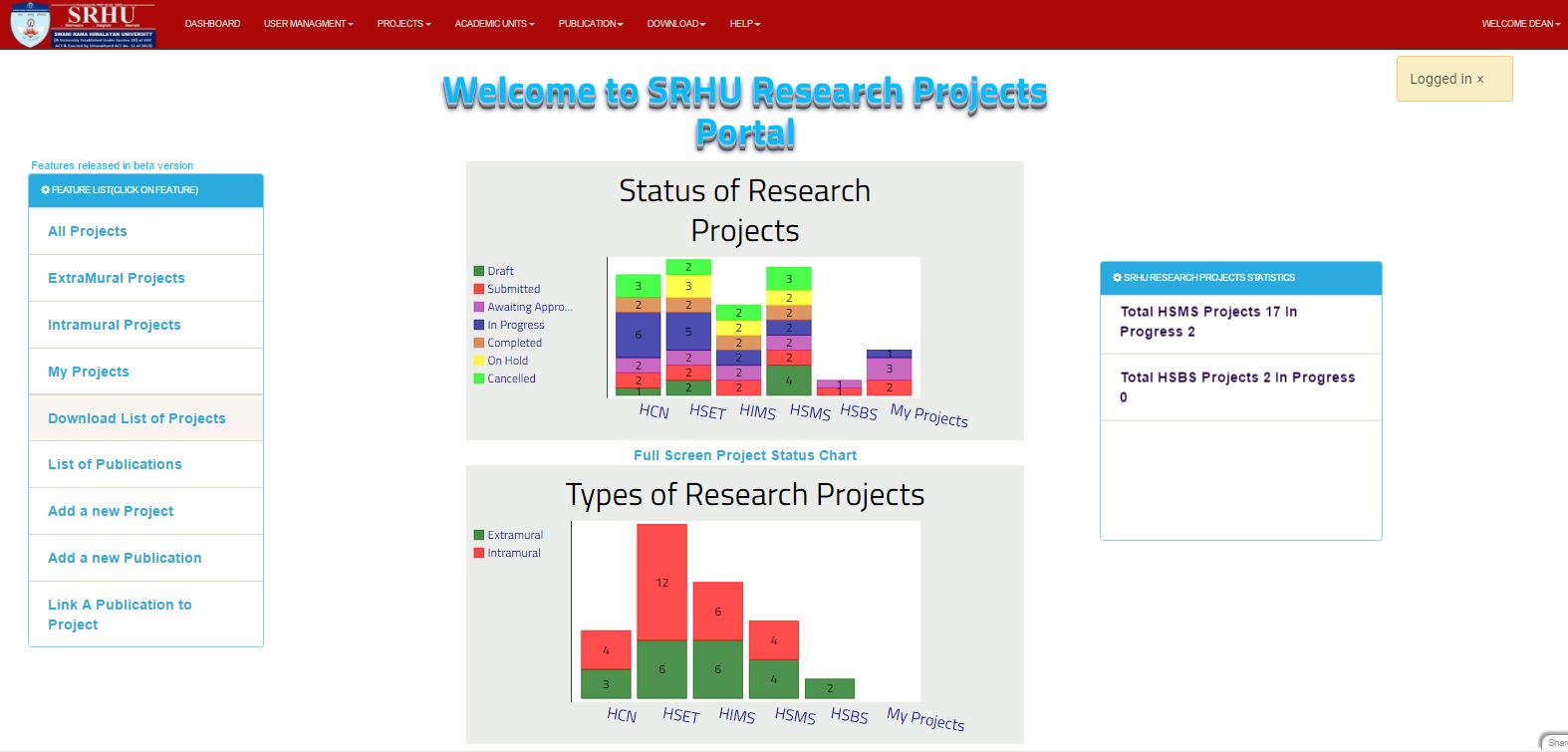
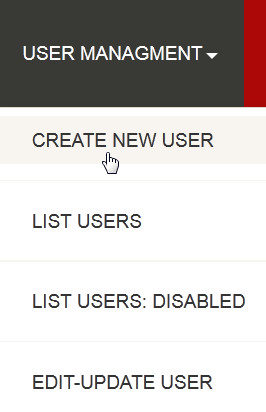
step 3. - Then click on the USER MANAGEMENT at the header of application, the drop down menu will open and you have to click on CREATE NEW USER
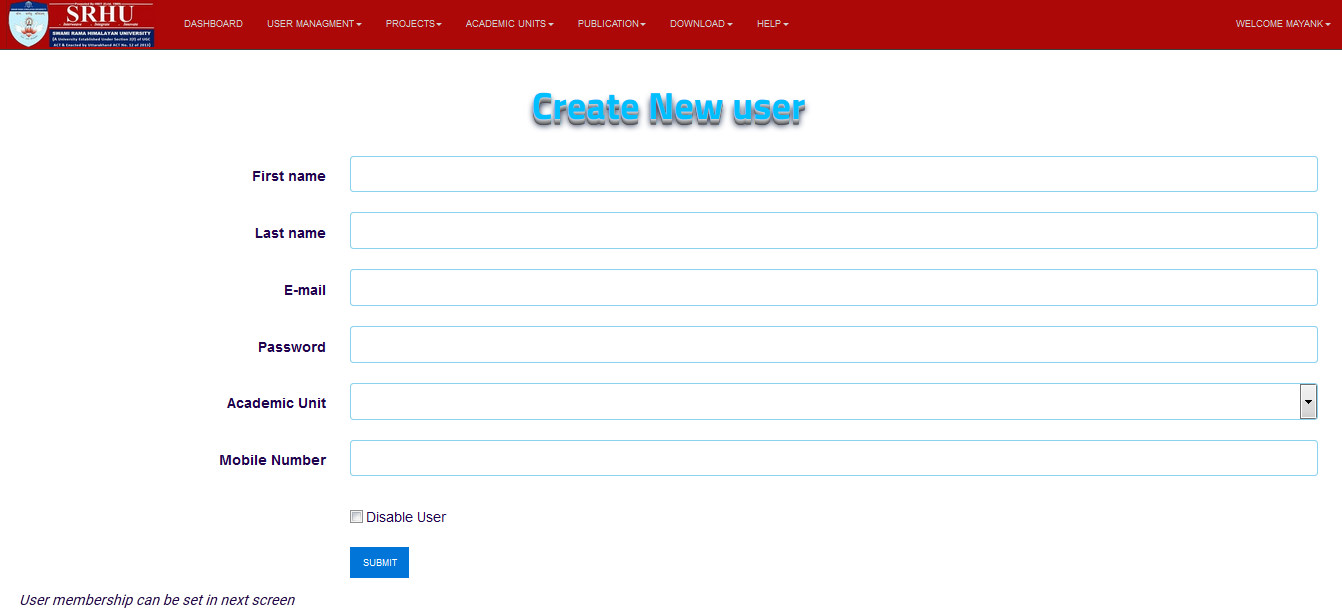
step 4. - The registration form will open
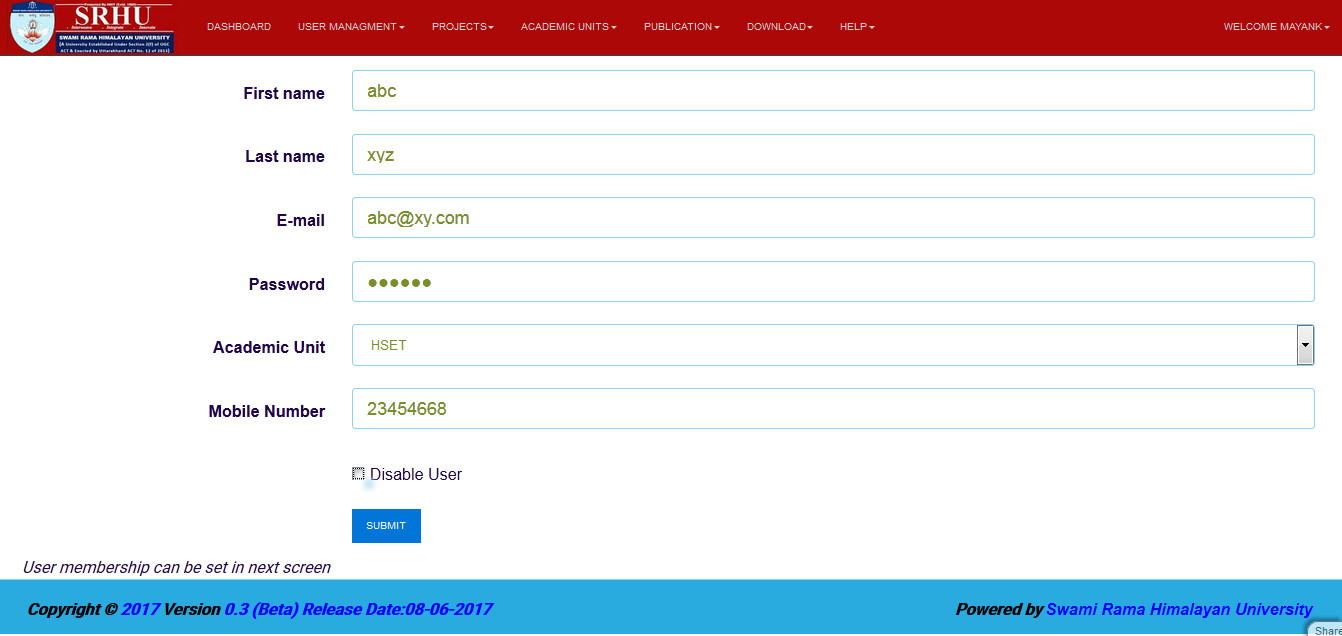
step 5. - So now fill all the field which shown in the form and then click on the submit button
Note
Disable user switch can be used to disable user
If a new user is being created that is yet to join SRHU then new user should be created as disabled, it can be unchecked later on in Edit user screen
step 6. - New user will be created next importamnt step is to assign the membership, user can either be faculty or admin type. every user should have either of the membership.
step 7. - Assign membership Assign membership by clicking on +Add Record button.
